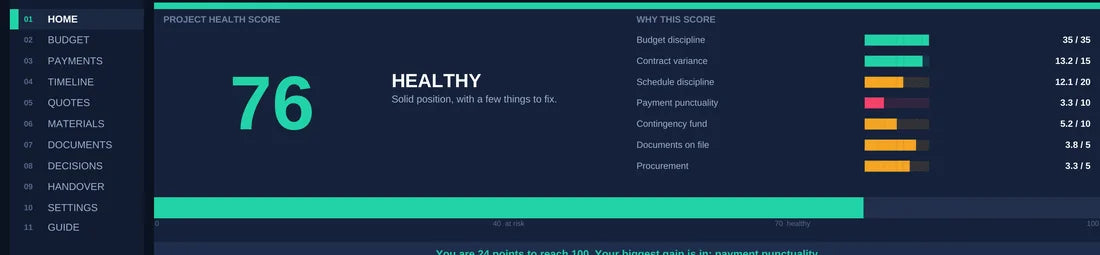
1. Read the Health Score
Seven components turn scattered project signals into one clear view.
BRAVO connects your budget, payments, timeline, quotes, materials and decisions—then shows you what needs attention today.

Renovations become difficult when money, progress, payments and decisions live in different places. BRAVO brings them together.
The screens below come directly from the product. What you see is what you receive.
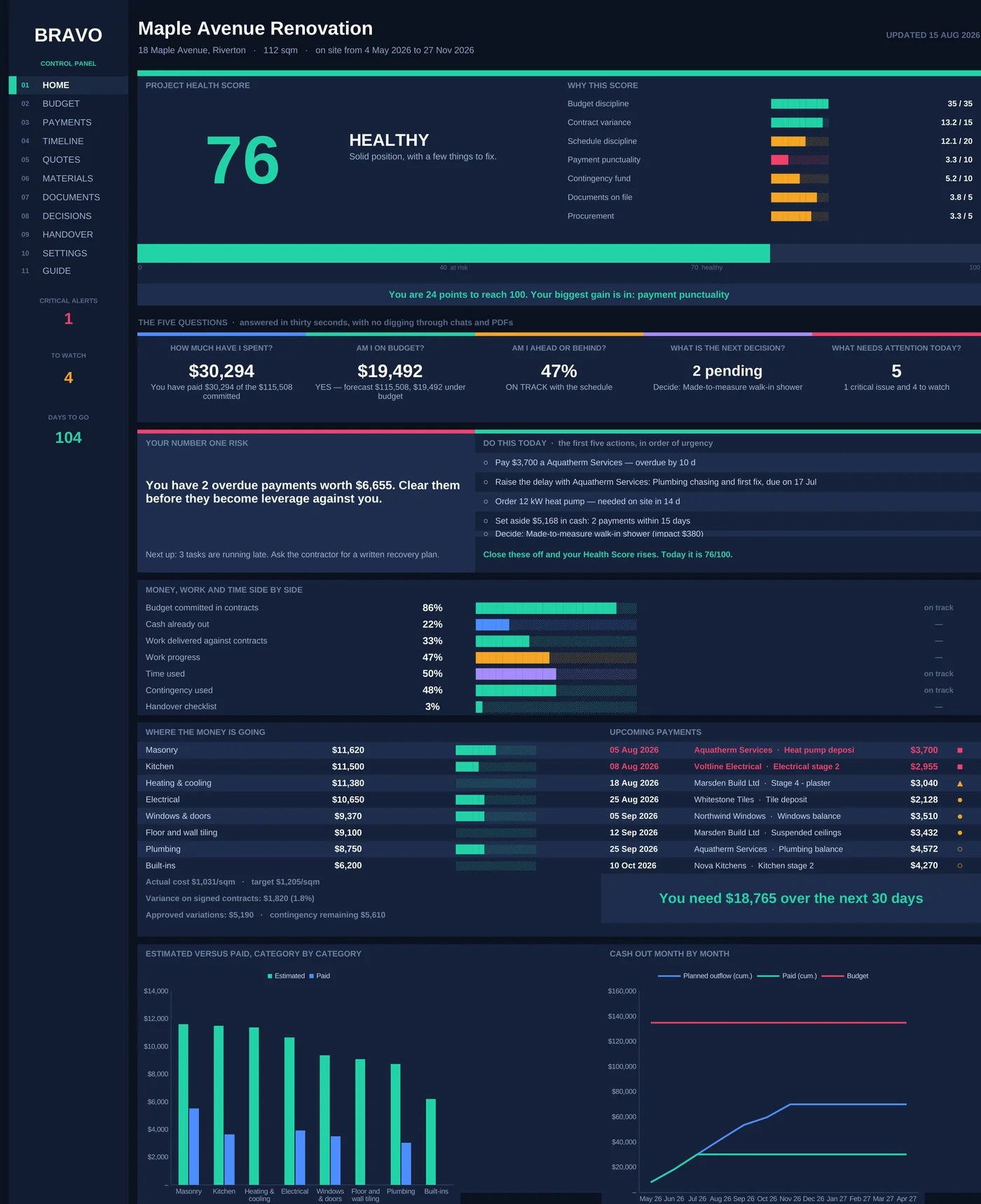
Seven components turn scattered project signals into one clear view.

Spend, budget, schedule, next decision and today’s attention—without digging.

BRAVO surfaces the number-one risk and orders the next actions by urgency.
These numbers come directly from the production workbooks—not marketing estimates.
BRAVO checks the project data for conditions that deserve attention.
It turns project signals into a prioritized view of what to do next.
Two workbooks. One connected control system.

Put committed budget, cash out, delivered work, progress and time on the same scale.
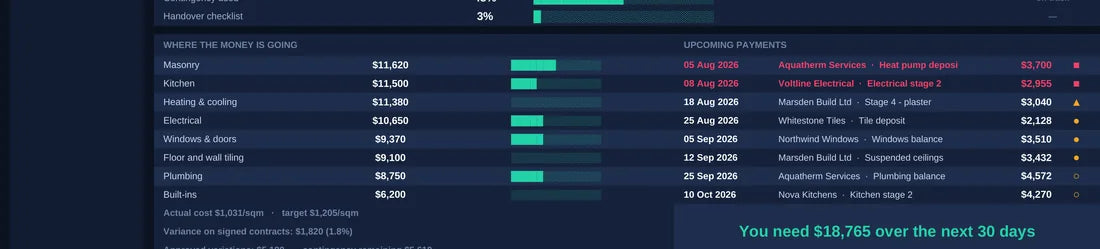
See where the money is going and what needs funding over the next 30 days.
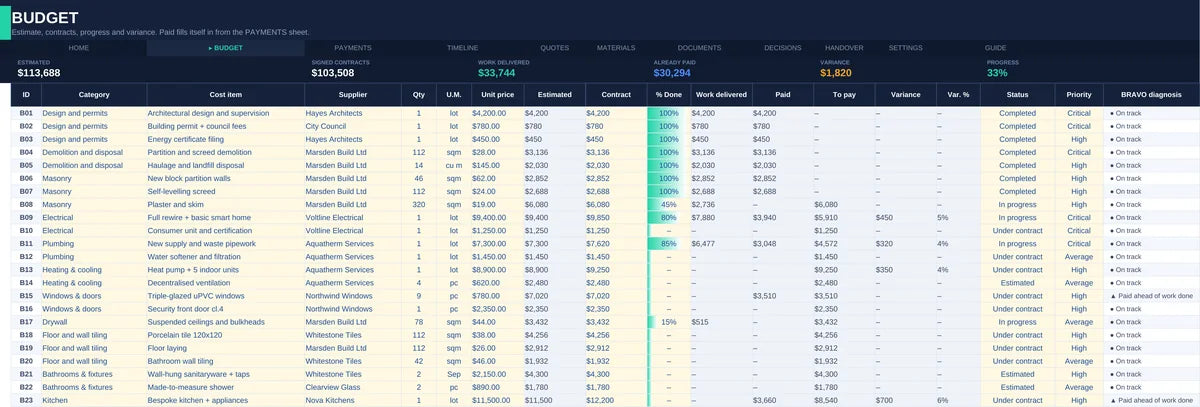
Track estimates, commitments, payments, variations and contingency.
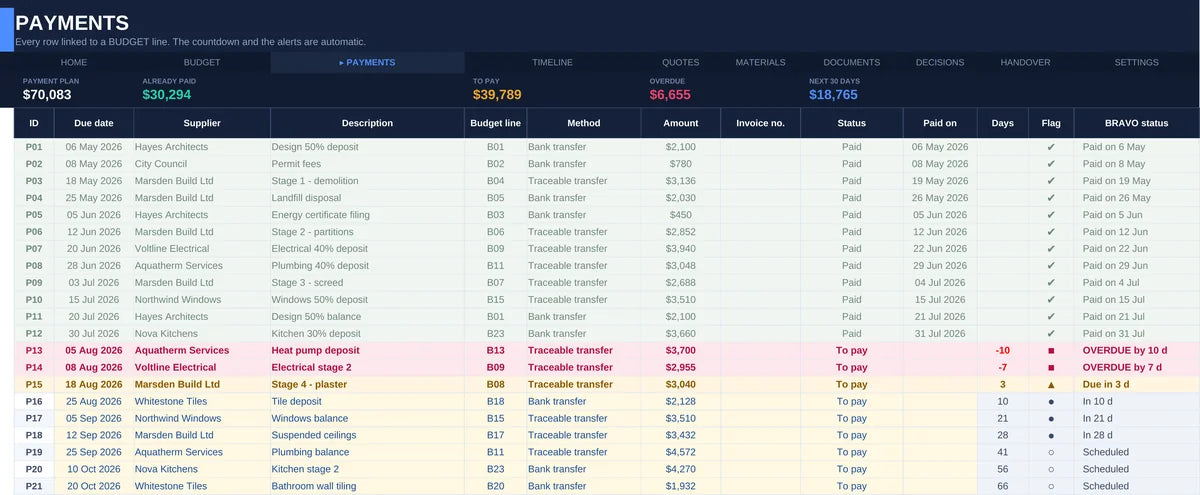
Know what is due, overdue and coming—before cash flow surprises you.
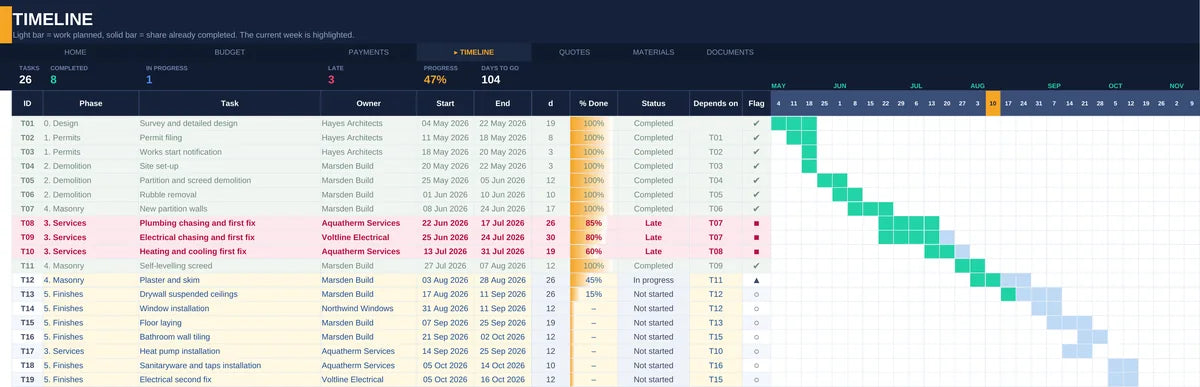
Compare planned work, completion and time used across 30 weeks.
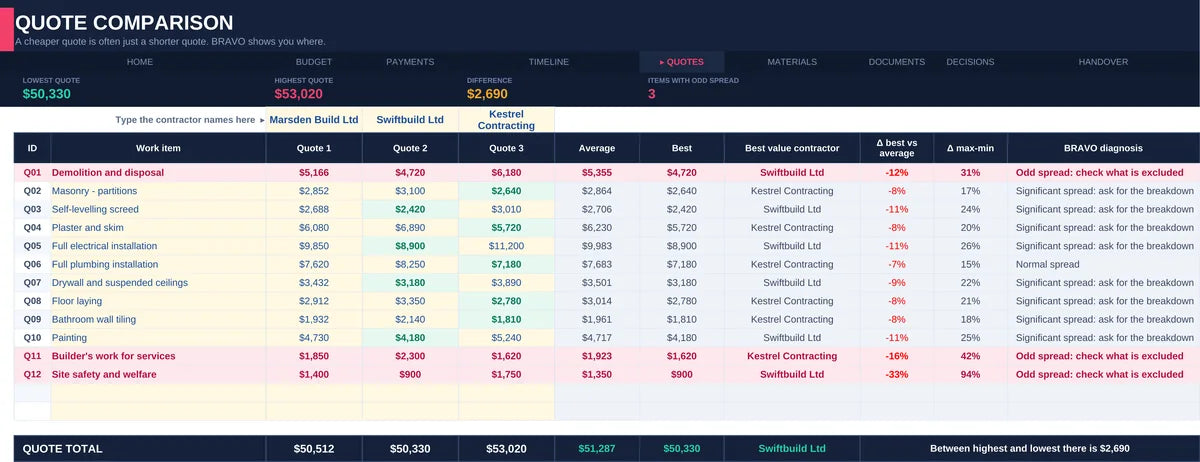
Compare contractors on scope, price and weighted criteria—not headline price alone.
“BRAVO is new. The problem behind it isn’t.”
Renovations create a familiar kind of fragmentation: budgets live in one place, payments in another, schedules somewhere else, and important decisions disappear inside messages and documents.
BRAVO was built to bring those moving parts into one control system—so a homeowner can understand the project, preserve a record and know what deserves attention next.
The question isn’t only what BRAVO costs. It’s what one missed payment, undocumented change or bad decision could cost you.
Two complete BRAVO workbooks, one in English and one in Italian, with 12 connected control sheets and a built-in guide.
Yes. BRAVO is designed for current desktop versions of Microsoft Excel on Windows and macOS. It has also been tested in Google Sheets, both in .xlsx compatibility mode and after conversion to native Google Sheets.
No advanced Excel knowledge is required. You enter project information in the designated areas; the formulas and control logic are already built in.
Yes. Enter your current budget lines, payments, progress, decisions and remaining dates, then use BRAVO from that point forward.
You can share and collaborate on the same file using the permissions and features provided by your chosen storage platform. Microsoft or Google account terms still apply.
No. BRAVO is a one-time digital purchase and requires no recurring BRAVO fee. Third-party software or storage services may have their own terms or costs.
Immediately after payment. You receive a download link by email and on the order confirmation page, containing both workbooks — English and Italian. If the link does not arrive or stops working, reply to the order email and we will send the files again.
Your purchase includes the BRAVO version available at checkout. Future updates are not included unless they are expressly stated in the product offer.
No. BRAVO is an organizational and decision-support tool. It does not replace professional, legal, financial, technical, construction or safety advice. Its outputs depend on the data you enter.
Please read the Refund and withdrawal policy for the terms that apply to this digital purchase.
BRAVO is a workbook, not a hosted BRAVO account. Storage depends on where you save it, such as your device, OneDrive or Google Drive.
Ready to bring the moving parts into one control system?